Master OneScale POS with Real In-App Training
Every screen, button, and shortcut taught step-by-step. Built for shop owners and cashiers across Pakistan & international retail. Available in professional English and authentic Roman Urdu.
From Download to First Sale in 30 Minutes
Follow this foundational 5-step sequence to launch your store today.
Download & Install
Launch OneScale on Windows or run on Web. Zero external server setup needed.
Choose Business Type
Select Bakery, Restaurant, Grocery, or Retail to auto-configure your sidebar and terminology.
Load Your Catalog
Add single items or bulk import your existing product inventory from Excel in 60 seconds.
Ring Up First Sale
Open cash till, scan barcodes or tap items, take cash or card, and print instant thermal receipts.
FBR Tax Compliance
Enter your FBR POS ID once. Real-time digital signature and QR-codes print on every customer slip.
All 16 Course Modules (A to Z)
Showing 16 of 16 ready-to-watch lessons

Installation & Setup: Get OneScale Running in 10 Minutes
Download the Windows desktop or launch on Web. Create your primary Owner Profile, save your offline recovery key, and secure your database.
First Run: Choosing Your Business Type & Sidebar Profiles
Transform OneScale into a custom-tailored system for Bakeries, Restaurants, Supermarkets, or Retail shops with one click.

POS Basics: Ring Up Your First Sale in 5 Minutes
Open your cash till, add items via touchscreen, keyboard, or barcode scanner, take cash/card, and print clean thermal receipts.

POS Advanced: Discounts, Holds, Splits & Refunds
Handle real-world counter situations: percentage discounts, promo codes, holding carts for busy queues, split payments, and customer returns.

Bakery & Production: Plan, Bake, Track Waste & Auto-Forecast
Stop guessing how many cakes and breads to bake. Set up daily production batches, record morning output, log evening spoilage, and let OneScale forecast.

Products & Inventory: Catalog Setup, Excel Bulk Import & Barcodes
Build your entire catalog: single items, variants (sizes, colors), categories, bulk importing thousands of SKUs from Excel, and generating barcode labels.

Customers & CRM: Profiles, Loyalty Points & Credit Control
Build loyal recurring buyers. Attach customers to sales with their phone number, earn and redeem loyalty points, and track credit / khata balances.
Purchases & Vendors: Buying Stock the Professional Way
Manage raw material suppliers: create vendor profiles, issue Purchase Orders (PO), record Goods Received Notes (GRN), and track vendor payable balances.
Cash Register: Shift Float, Day Close & Z-Report Reconciliation
Eliminate till shortages. Record cash drops, pay petty expenses from the till, count closing drawer denominations, and generate official X/Z reports.

Finance & Expenses: Track Costs, Cheques & Real Net Profit
See where your money actually goes. Record rent, utility bills, generator fuel, salaries, bank deposits, and track post-dated cheques in one place.

Invoicing: B2B Accounts, Corporate Orders & Partial Payments
Bill outside the retail counter. Create formal A4 tax invoices for corporate clients, catering events, or wholesale customers with payment terms.

Staff & HR: Role Permissions, Security PINs, Shifts & Payroll
Protect your store from insider theft while rewarding good staff. Set 4-digit PINs, restrict cashiers from seeing total sales or issuing unauthorized refunds.

Preorders & Delivery: Custom Cake Orders & Rider Dispatch
Manage custom advance orders without sticky notes. Book birthday cakes, take advance deposits, track kitchen baking deadlines, and dispatch delivery riders.
Reports & Analytics: Sales Trends, Profitability & Fast Movers
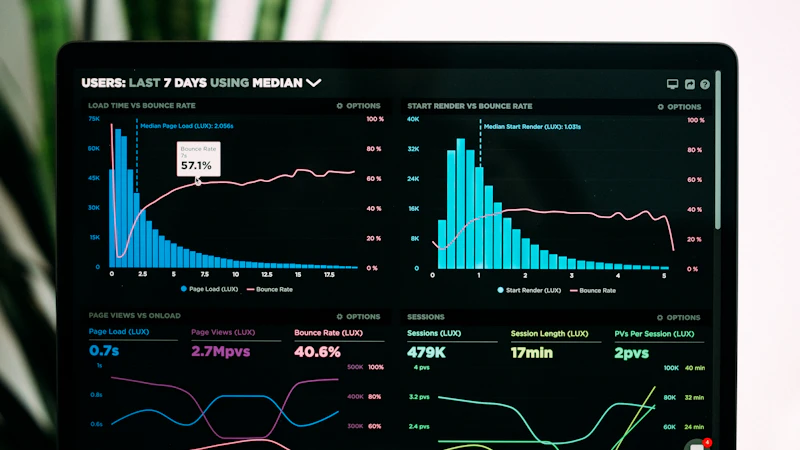
Make smart data-driven decisions. Discover your top 10 most profitable items, peak customer rush hours, cashier efficiency, and export everything to Excel.

Settings: Printers, Receipt Logos, Cloud Sync & Offline Backups
Connect your store hardware: 80mm ESC/POS thermal printers, barcode scanners, customer secondary displays, upload receipt logos, and create 1-click backups.

FBR Tax Compliance: Automatic E-Invoicing & POS ID Setup (Pakistan)
Stay 100% legal with FBR without lifting a finger. Input your POS ID & API token, test in Sandbox mode, and print compliant QR-code invoices automatically.
Trainer & Shopkeeper Pro Tips (Pakistan & Global)
1. Never Skip the Recovery Key
OneScale is built 100% offline-first using in-browser and local SQLite storage. All owner credentials are encrypted via AES-256-GCM. Save your 24-word recovery key safely; nobody can recover forgotten data without it.
2. FBR Offline Submission Queue
If your internet connection drops during peak rush hours, OneScale keeps processing sales uninterrupted. Every invoice enters the local queue and auto-submits to FBR the second connectivity returns.